New · Create with AI

Plan, teach and
practice yoga.

The yoga class planner for teachers, trainers and students. Build a class in minutes and teach it with calm confidence.

286
illustrated poses
10
yoga styles
3
classes free
iOS & Android
phone and tablet
  1. 01

    Plan

    Build the sequence on one screen and watch the minutes add up.

  2. 02

    Teach

    Lead from your phone or iPad with cues and notes beside you.

  3. 03

    Share

    Send the class home by QR code, username or a printable PDF.

  4. 04

    Reflect

    Note what landed and keep a log of everything you taught.

Why Yolgi

Everything a class needs, nothing it doesn't.

Plan

Build your class on one screen.

Sections and rounds, holds in breaths or seconds, left, right or both sides, cues for students and private notes for you. Drag to reorder, swipe to duplicate, undo anything.

The class planner →
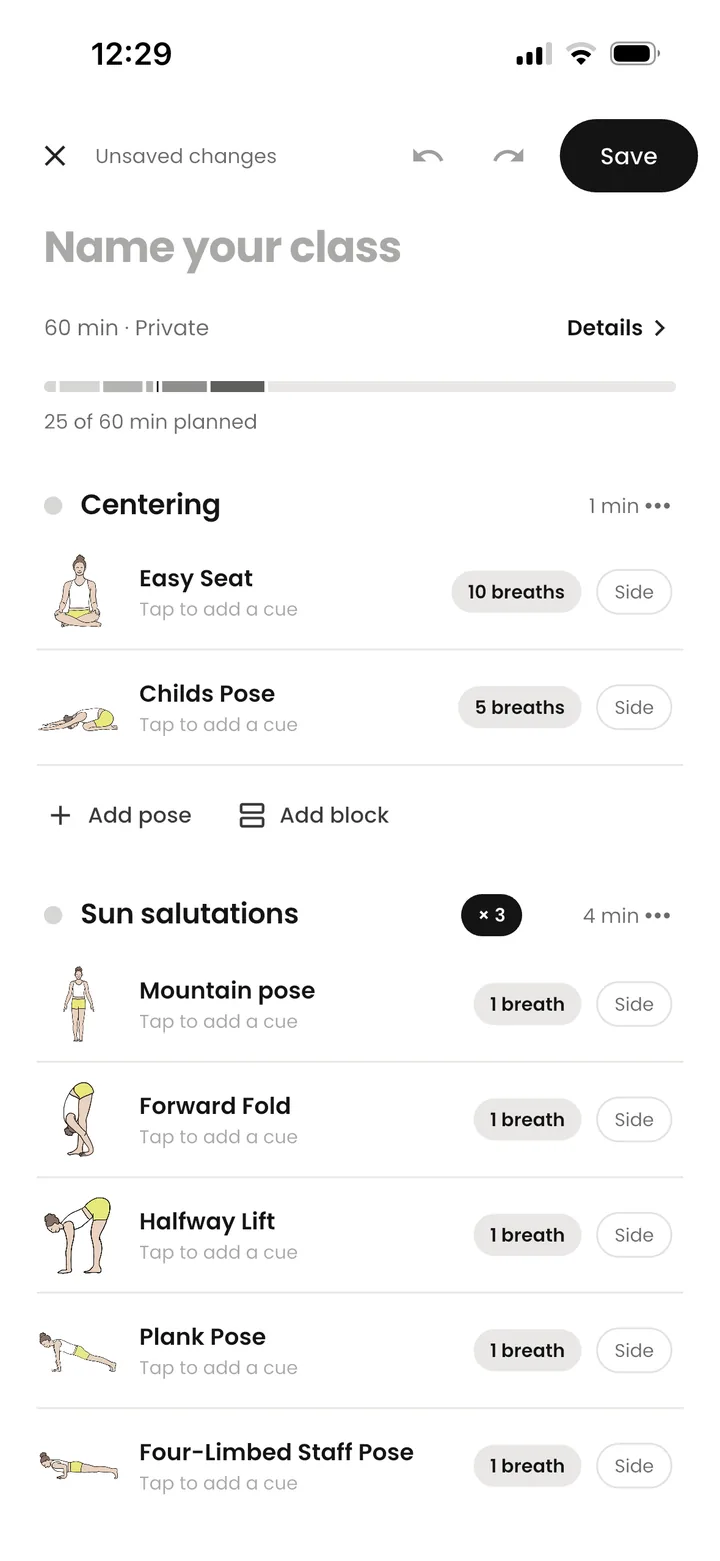
The Yolgi class editor with Centering and Sun salutations sections and a time bar showing 25 of 60 minutes planned
Create with AI · Pro

A complete class from a few answers.

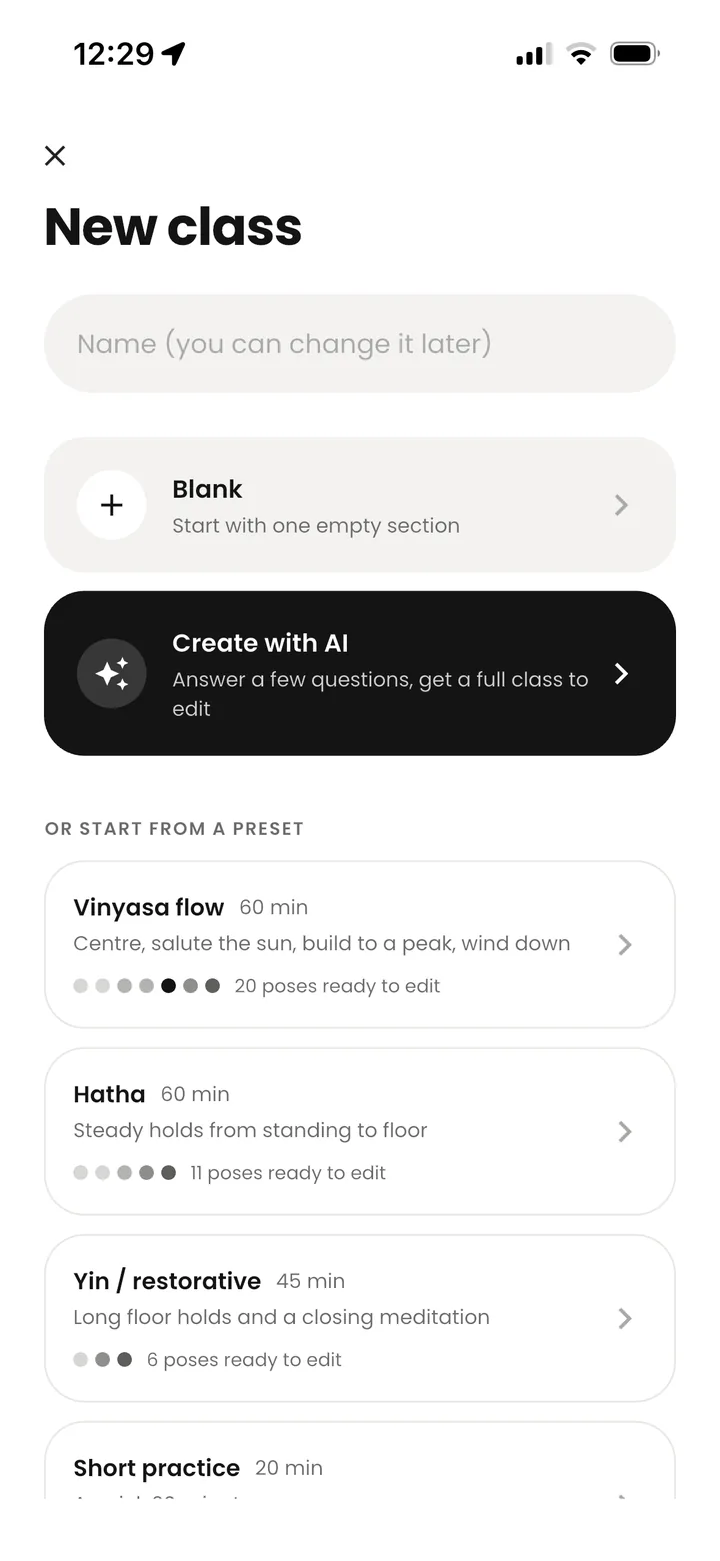
Length, level, style and focus in. A balanced, timed class out, built only from real poses in the library.

How it works →
The New class screen with Blank, Create with AI and presets
Teach & practice

One pose at a time.

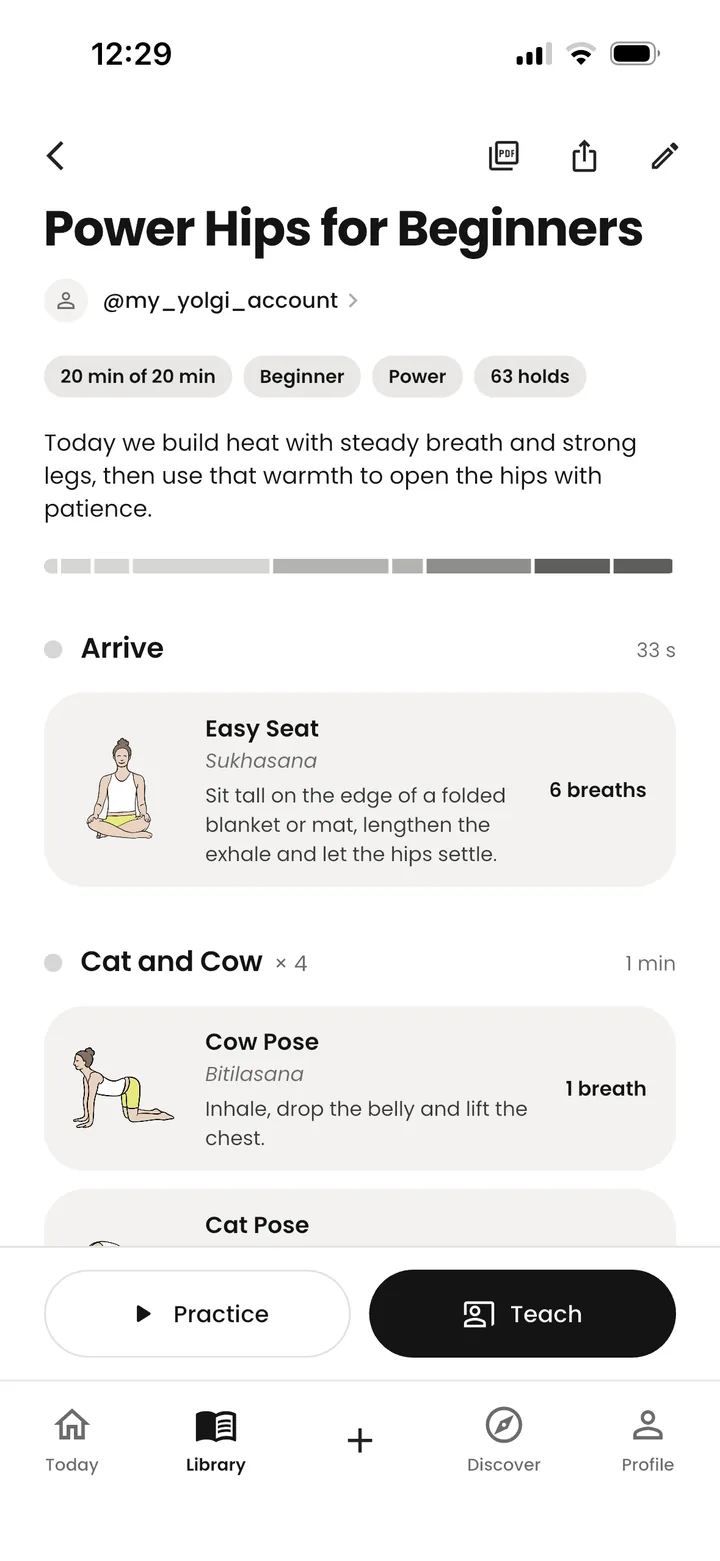
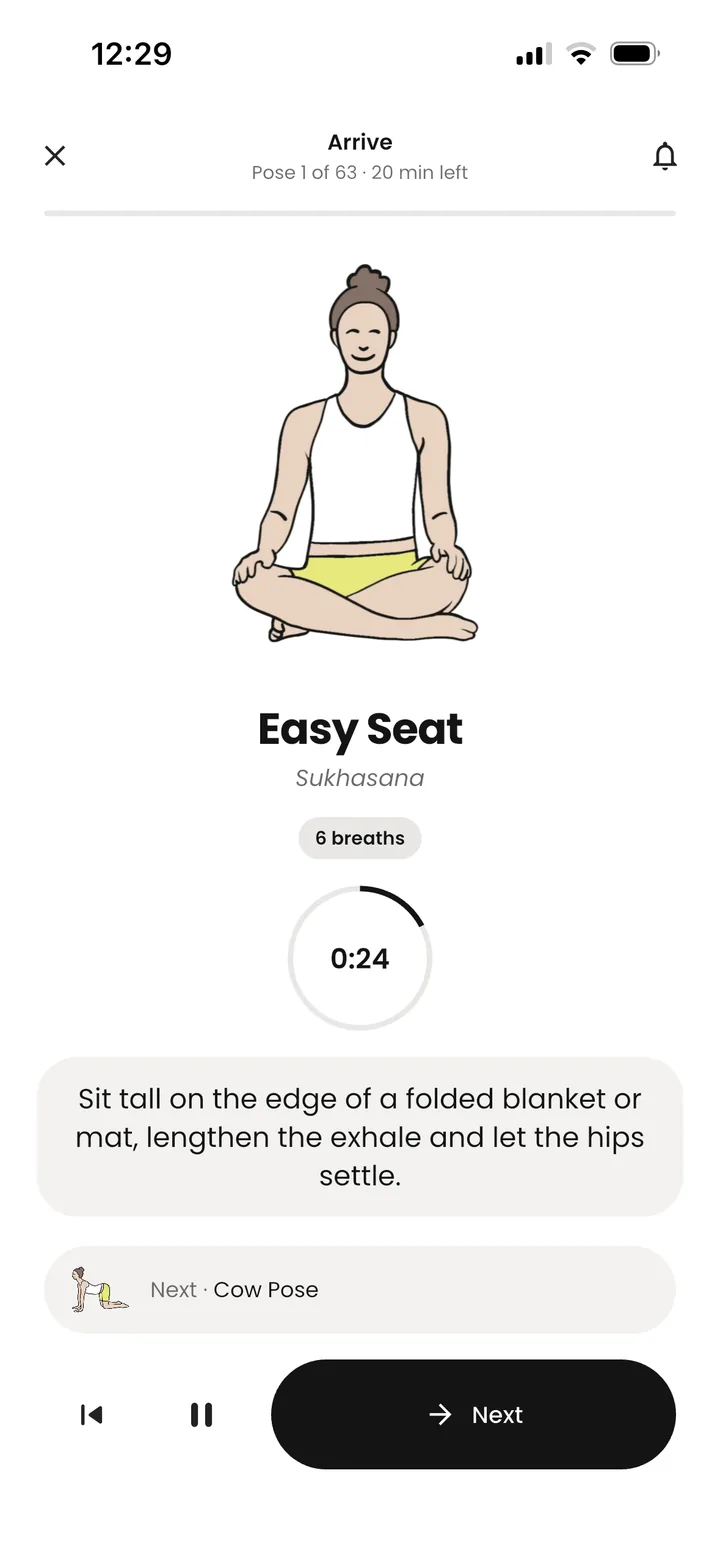
Teach mode keeps your cues and notes beside you. Practice mode times every hold and rings a soft bell.

Yolgi Practice mode with Easy Seat, a 6-breath timer and the next pose
Pose library

286

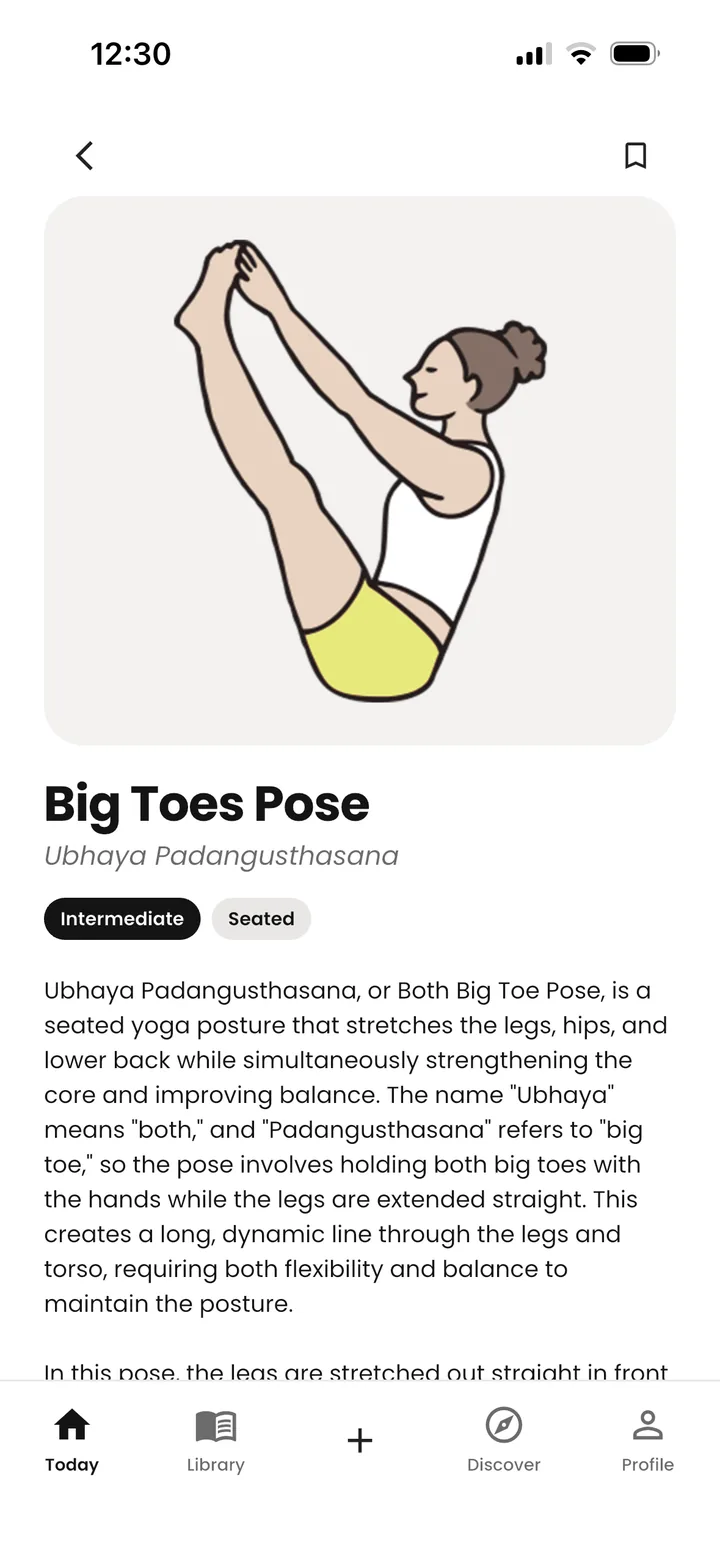
Illustrated poses in English and Sanskrit, with level, position and a pose of the day.

Share

Send the class home.

So students can practice on their own after class.

Discover

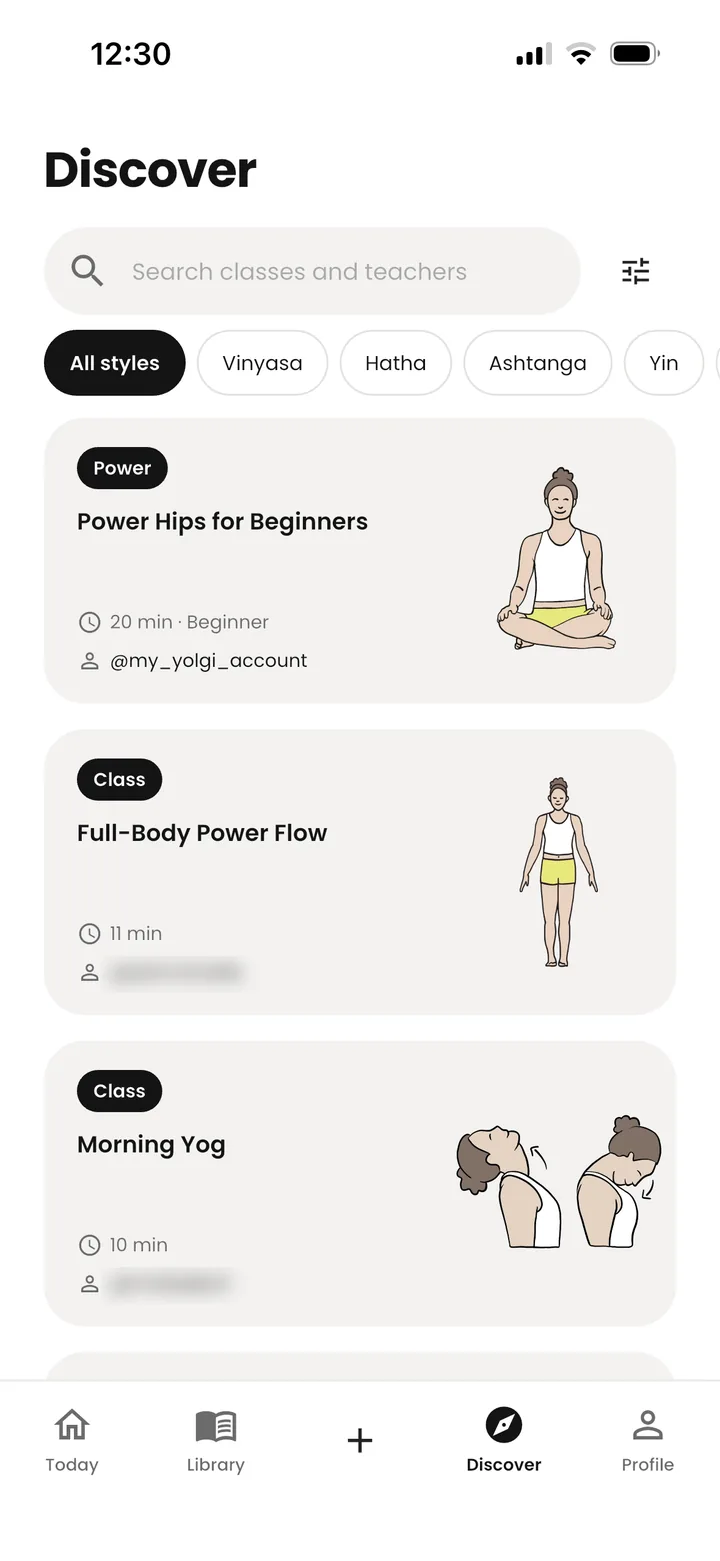
Learn from other teachers.

Browse public classes by style, follow teachers you like, save classes for later and remix one into your own.

The Discover screen in Yolgi with style filters and community classes
Meditate · free

A quiet timer with a bell.

No voices, no music. Choose your time, settle in, and let a singing bowl begin and end your sit. A breathing circle keeps time on screen.

  • 5 to 60 minutes, with optional interval bells
  • Singing bowl, gong, copper bell or soft ding
  • A settle-in countdown before the first bell
About the meditation timer →
Made for

Teachers, trainers and everyone on the mat.

Teachers

Plan a week of classes in an evening

Save your best transitions and reuse them, keep cues and notes with each pose, and teach from your phone or iPad.

Trainers & YTT

Teach sequencing, not just poses

Share example classes with trainees, let them practice planning on a time budget, and review their sequences side by side.

Students

Keep practicing after class

Save the classes your teacher shares, practice them at home with timers and bells, and sit with the meditation timer.

Yolgi has helped me to create flows quickly. My students love that I can share the flow after the class either digital or as PDF to learn more about the poses to practice the flow on their own.
Olga Ruiz PilatoYoga teacher, YouTube & studio
Pricing

Free to start. Pro when you teach more.

Free

€0

For trying Yolgi and practicing

  • Up to 3 classes
  • Teach and Practice mode
  • All 286 poses and Pose of the day
  • Share classes with your students
  • Discover and teacher profiles
  • Meditation timer
  • One free Create with AI class
Download free

Yolgi Pro 7 days free

€24.99 / year

That's €2.08 a month · or €6.99 monthly

  • Everything in Free
  • Unlimited classes and your own transitions
  • Create with AI, up to 30 classes a month
  • Class sheets to print and share (PDF)
  • Which poses prepare and follow every pose
Try 7 days free

Prices shown in euros. Your local App Store or Google Play price may differ. The free trial is for the yearly plan; cancel any time in your store account.

Ask Yolgi

Questions, answered.

Found a bug, missing a pose or have an idea? Email support@yolgiapp.com.

What is Yolgi?

Yolgi is a yoga app for teachers, teacher trainers and students. You plan classes from a library of 286 poses, teach or practice them with timers, bells and cues, share them with students, and keep a log of what you taught. It runs on iPhone, iPad and Android.

Is Yolgi free?

Yes. The free plan includes up to 3 classes, Teach and Practice mode, sharing classes with your students, the full pose library, Discover and the meditation timer. Yolgi Pro (€24.99 a year with a 7-day free trial, or €6.99 a month) adds unlimited classes and your own transitions, Create with AI, printable class sheets and preparation and follow-up poses for every pose.

How does Create with AI work?

You choose the class length, level, style, up to three body areas to focus on, an optional peak pose or theme, and the props you have. Yolgi then drafts a complete class using only poses from its own library: a warm-up, a build toward the focus, counterposes and a wind-down with savasana, timed to your length. The class opens as an editable draft. Pro includes 30 AI classes a month, and free users can try it once.

Can I use Yolgi while teaching a live class?

Yes. Teach mode lets you move through your class at your own pace, with the current pose, your cues, your private notes and what comes next on screen. It works on phone and iPad and is included in the free plan.

How do I share a class with my students?

Open the class and tap Share. Students can scan a QR code, receive it by username, or open a link. Sharing is free for everyone, and students use the app for free too. With Yolgi Pro you can also export a class sheet as a PDF to print or send.

Does Yolgi have a meditation timer?

Yes. The meditation timer has sessions from 5 to 60 minutes, a choice of singing bowl, gong, copper bell or soft ding, optional interval bells and a settle-in countdown. A breathing circle keeps time on screen. It is free.

Which devices does Yolgi work on?

Yolgi is available for iPhone and iPad on the App Store and for Android phones and tablets on Google Play. The app is in English.

A woman stretching her arms overhead in soft light

Your next class starts here.

Download Yolgi and plan your first class in minutes. Free on iPhone, iPad and Android.

Photo: Dane Wetton / Unsplash